


KEPLER'S WEBSITE TEMPLATES
these are all free to use, no credit necessary. it'd be nice if you let me know you used it because i want to see what you made!
my goal is to make website templates that are templates more than anything else - these are for you to color and customize and tinker with to your heart's extent.
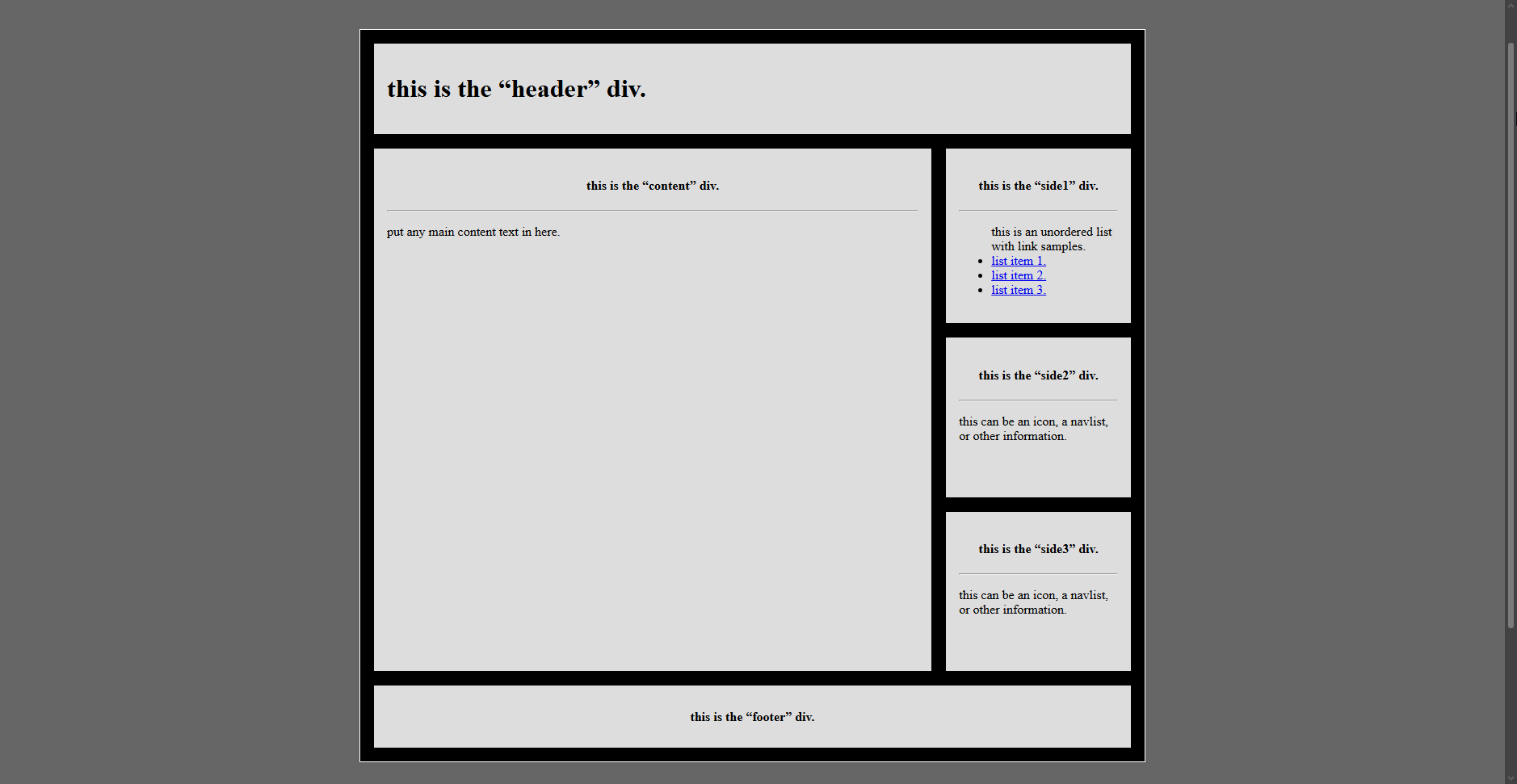
kepler's barebones basics
no fancy coding, no inserted images or hotlinks, no miles of spaghetti code. this is an incredibly basic grid-layout site - it's up to you to decide what to do with it and how to style it.
HOW TO MAKE A WEBSITE
How do I even start making a website?
it can be easy to feel overwhelmed by the idea of making a website! it feels like there's a lot to learn before you can even get started - what the heck is a <div> element?! how am i supposed to use that? and what are those dozens of other attributes...? :(
but you don't need to learn it all before you can start building a website.
when i started making this, all i knew how to do was add <a href="url">inline links</a> and add <img src="url"> some images. it's taken three months of random trial and error to reach the stage i'm at now.
the biggest piece of advice i'd say is:
Don't be afraid to use the tools other people have made.
the internet wasn't made alone, and there's no way you're making your website alone! even if you want to be stubborn and learn it yourself, you would still need to read the documentation that other people created to know what you can do, and how to do it.
"but, but, kepler... where am i supposed to even find those tools?"
luckily for you, i've done some searching so you don't have to! plenty of people have made code bases or code generators to help you get started. my two strongest recommendations are itinerae's website templates - free and premium - and petrapixel's template generator!
itinerae has her html and css packaged all into a single file, but petrapixel offers separate .html and .css files to help with organization. i personally try to keep my css and html organized separately - it feels a lot simpler to flip between files rather than scrolling up and down the same one!
my word of advice is to start with someone else's base so you don't need to immediately worry about structuring a website from the ground up. there are a lot of options, and that's easily one of the most overwhelming parts for me! experiment with <div> elements and what you can do with them, take the time to wrap your head around grid and flexbox once you realize you want or need to use them, and explore the things you can do.
also - people write dozens, hundreds, if not thousands of code snippets. if you have something that you want to have on your website, try googling to see if someone else tried to do it first! it may be poor practice to copy code without understanding what it does - and it can be a security risk, depending on what kind of code you're grabbing - but if it works, well... it works.
here's a few graphics collections that i can recommend if you need help adding some visuals to your site:
88x31.nl - a 6,500+ hoard of 88x31 sized buttons. you can find almost anything here, and thousands of authentically oldweb buttons.
cyber.dabamos.de - a 4,500+ hoard of 88x31 sized buttons.
blinkie.world - a massive, excellently organized selection of blinkies.
adriansblinkiecollection - a less organized but just as expansive blinkie collection.
decohoard carrd - EXTREMELY IMAGE HEAVY! huge collection of favicons, stamps, dividers, blinkies, pixels, and other assorted graphics.
88x31 button maker - convenient, simple, in-browser button maker that automatically crops to 88x31
graphics info - prince has compiled a massive directory of different types of web graphics as well as a whole bunch of very nice decorations for said graphics :)
rss guide - doqmeat's guide to making an rss feed! extremely simple and to the point - you basically just copy the section of code and name that file rss.xml exactly like doqmeat says, and update it with information accordingly.
my other personal recommendation is visual studio code! it has plenty of customization options to make your coding workspace as comfortable as you want, from rearranging windows to changing the entire color theme of the application. at the same time i recommend the live server plugin for visual studio code! it lets you run your code locally to preview how it's going to look before uploading it to your live site.
there are dozens of tools at your disposal, and even more community support to be found. you could check out the neocities club on discord, or #webdev on libera.chat for some community feedback and advice! there's also communities to be found on reddit and nekoweb and any other assortment across the internet, but these are the two i can recommend the strongest. :)
and, as always, my inbox is always open for support and inquiries! i may not be experienced, but i still want to do my best to help you out.
STUFF TO DO ON THE INTERNET
I want to explore the indie web, but I don't know where to go!
or, at least, I want to do something other than doomscroll.
i've got you covered! i make a pointed habit of logging in to something else if i ever find myself starting to mindlessly scroll. take a trawl through the links below!
browser games and petsites
i love a good browser game! there are hundreds of them out there, but here's my own selection of the games that i play/prefer! if you want even more, be sure to check out calaban's masterlist of virtual petsites!
dragon cave - steal dragon eggs from a cave, and raise them by putting your scroll on sites like egg drop soup, the garden of eden, or the allure of neglected dragons.
magistream - collect eggs from an ever-flowing steam and watch them grow up into different mythical creatures!
pixel cat's end - direct a group of cats as they explore not-earth; collect resources, build new crafting facilities, and engage in dnd-style explorations if you want to keep playing once your dailies are done!
dappervolk - enter a fantasy world where you collect and care for mystical creatures! use me as a referral if you sign up? :) my username is zomboid !
dopcom creechers - hatch creechers, feed them, and interact with yours - or others - to gather resources in order to decorate their rooms and get more powers!
flowergame - pick up seeds in the wild and take them back to your greenhouse! complete minigames to get water or to get the sun to shine to help them grow.
chickensmoothie - a passive game where you adopt creatures every month that grow up into random variations/rarites!
club pengiun journey - a reboot of club pengiun now that disney has finally let it enter public domain!
the final outpost - collect sci-fi capsules to grow creatures from!
recommended reading
these aren't necessarily all games - some of them do count as games - but they're engaging things to read and explore!
mildlypepper: seasons of tomorrow - a peek into pepper's worldbuilding! someone left a computer behind, barely functional... but you can still look through the data on it! find out what there is to learn about the resistance effort? :3cneon's site of delights: sweethearts - an in-progress visual novel about a bunch of pastries that come to life and try to help out their maker! (and mostly end up tormenting her...?)
dan q: postcards - a collection of postcards that dan q has recieved in his "letters from the internet" postbox!
don't go for google
instead of using google for all your search needs - take a dive into the indie web and look around some websites that might align with your interests! here are some places to get you started with your search:
webring masterlist - flip through and search for something you like - zombies, plants, anime, subcultures... if you can think of it, there might be a webring for it! take a trip through a webring and see who you can find!clique masterlist - scroll through and see if there's a clique centered around something you like, or take a dive and explore a less focused clique! not all cliques have member lists, but they're still worth checking out. :)
list-me - a free web directory of a variety of personal websites, ranging from blogs to forums to fansites!
WHAT IS IRC?
instead of just diving into what irc is, i want to exposit with a bit of information about its history.
irc has existed for a long time - much longer than revolt, or discord, or facebook or whatsapp. irc was created in 1988, and it directly influenced and informed a lot of the functionality of platforms like discord or slack.
the way that discord has its servers with channels and users is directly paralell to the way that irc runs on servers which have their own channels that users can connect to, but they're pretty vastly different in terms of functionality.
to use irc, you don't just get a url to join it. (though, some ircs do run webclients, so this is a possibility. but don't count on it.) you have to have a client, and you have to choose to connect to a server - and you don't just get access to all the channels in the server all at once, like you would on discord.
you do, in fact, have to manually /join #channels in order to, well... join them, and speak in them, and engage in them. it makes it a bit less of an overwhelming headache. as opposed to joining a discord server and needing to immediately mute a dozen channels, you connect to irc and it's... quiet. it's your choice where you want to go.
Okay, sure. Discord ripped off IRC. Why should I care about using it?
in this age of capitalism, we are afforded next to no privacy, and more and more platforms are making more and more profit off of our information in any plethora of ways. the push for poorly optimized and poorly integrated ai, the rescindence of better features for worse ones, or even features being removed all together. you can barely bother to disable tracking, because even when you do, it gets flipped back on.
irc is not proprietary and not profit-driven. irc is not overencumbered with useless features and excessive microtransactions. ircs are run by people who simply care to support communication and open source projects; there is no veil, no manipulation, no ulterior motive. it's a simpler place with simpler motives.
sure, you won't have all the ... delights of discord. customes emotes, profiles, avatars, status messages. but in the end... they're mostly bulk. they might add bits of quality of life here and there, but how much does that mean when they're tracking every little thing you do and say to profile you and profit off of you?
Libera.Chat: 28,000+ users/20,000+ channels | Undernet.org: 17,000+ users/5,000+ channels
OFTCNet: 15,000+ users/4,000+ channels | IRCNet: 14,000+ users/8,000+ channels






